
Generate Class Code
Generating class codes under the instructor helps streamline student registration, making it easier for students to enroll in your section/courses.
Follow the steps to generate class code:
- Go to User Management > Generate Class Code.

- User will be taken to the following screen.
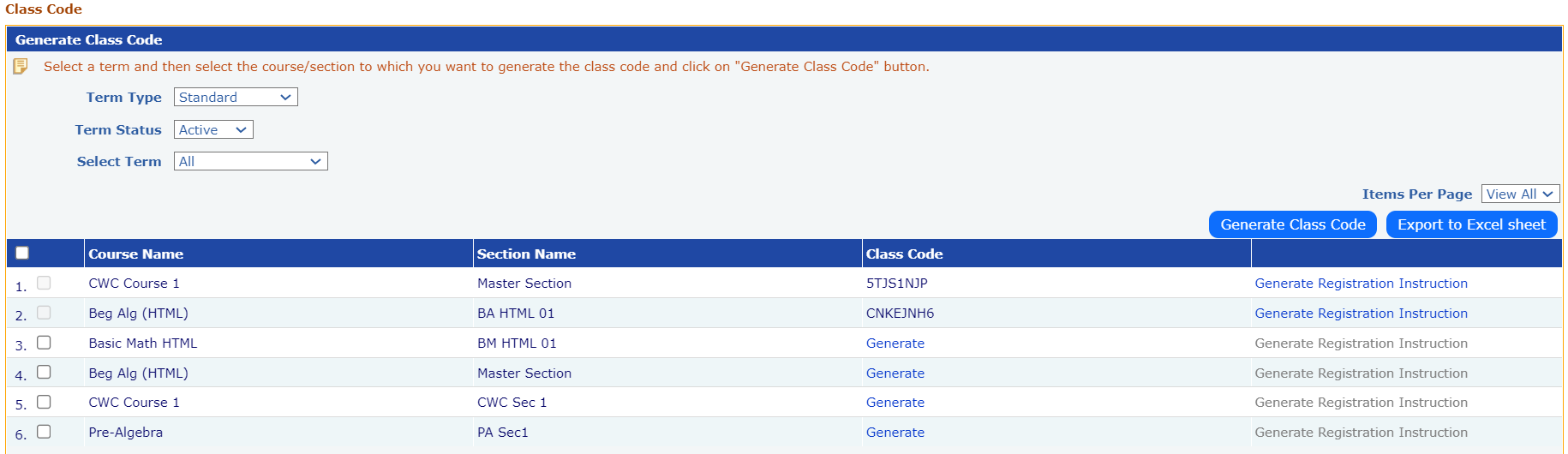
- Select the term from the dropdown list.
- Click on the ‘Generate’ Link corresponding to Course/Section name to generate a class code.
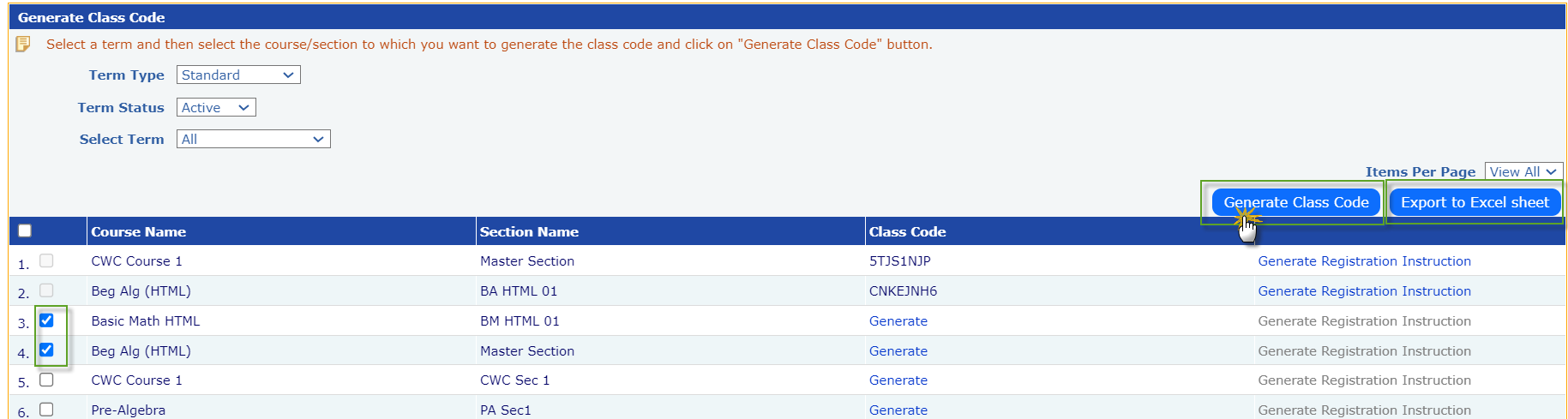
- Alternatively, Instructor can generate class codes of multiple course/sections and can be saved in excel format by clicking on ‘Export to Excel Sheet’ button.
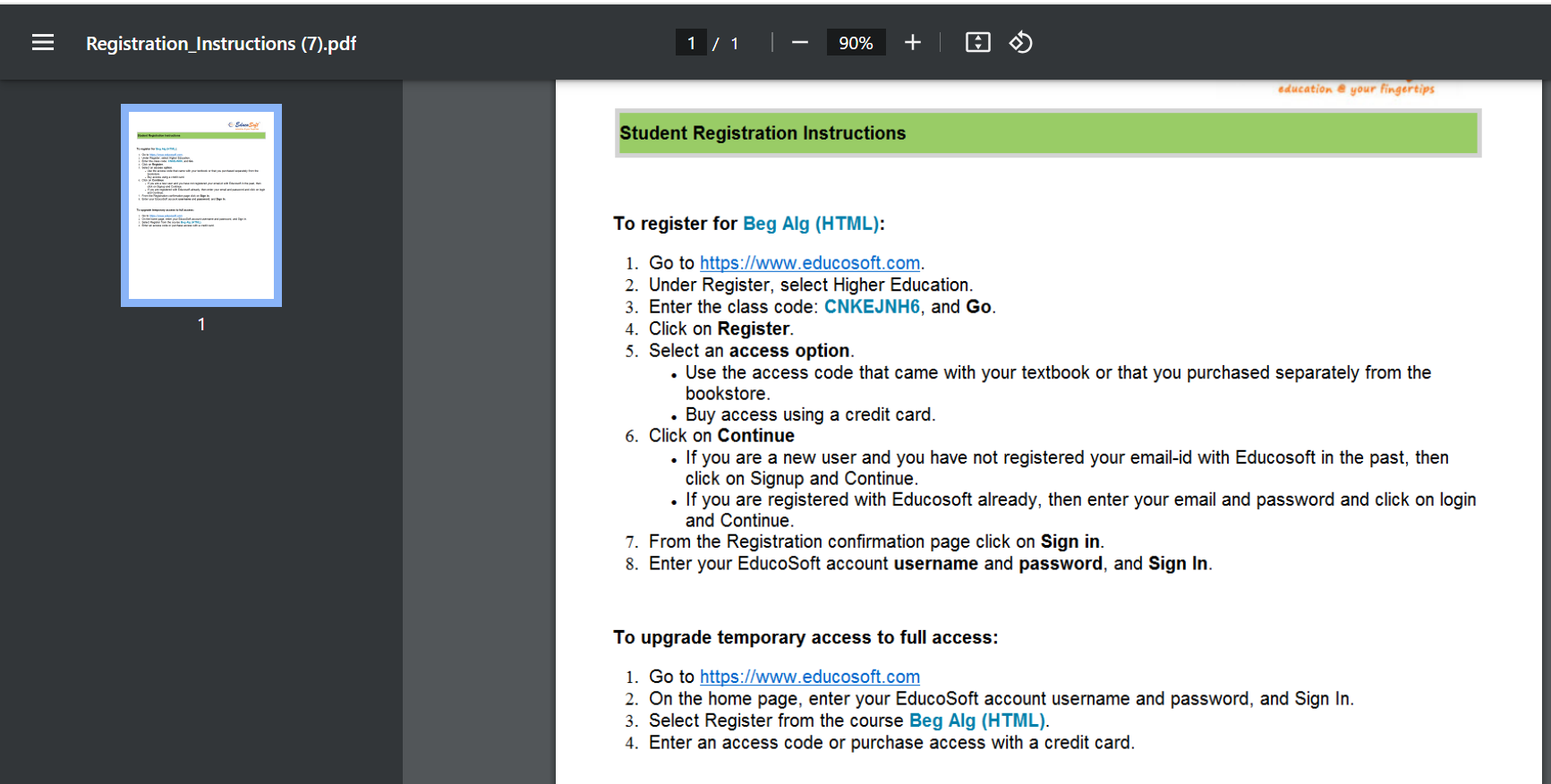
- Click on the ‘Generate Registration Instructions’ link next to the course/sections name to download the registration instructions PDF, which can be shared with students via email.
Registration Instructions PDF File:
Student Registration using Class Code:
- EducoSoft Home page > Select Portal > Register for Higher Education OR School (K-12).
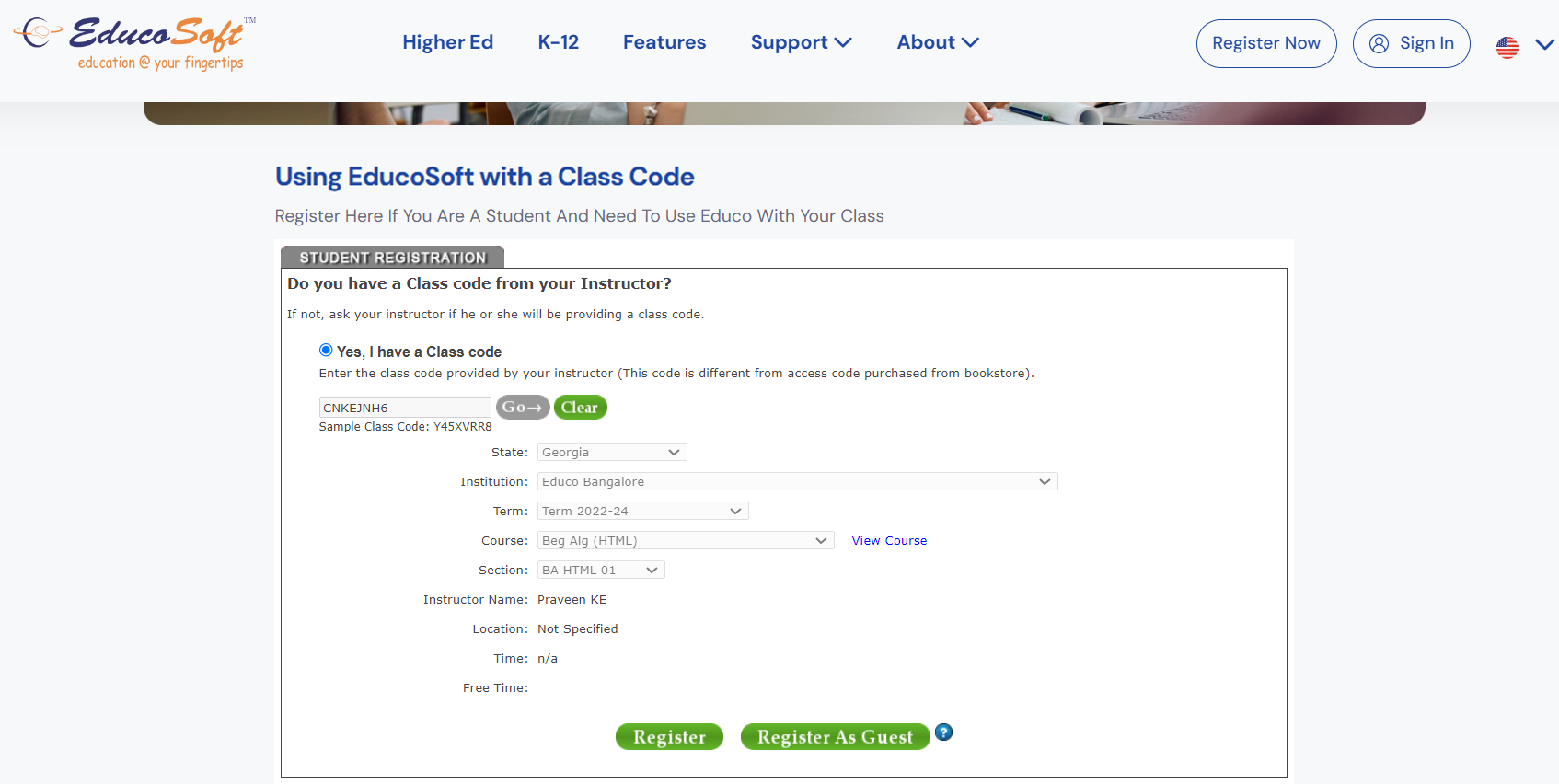
- Select Radio Button ‘Yes, I have a class code’, Enter the class code provided by your instructor and click on
 button.
- EducoSoft application automatically selects Institution, Term and Course based on class code entered, facilitates smooth registration process.
Note: If students don’t have a class code, they can select Radio Button ‘No, my course doesn’t have code’ and can manually select the Institution, Term and Course and continue the registration process.