
Dashboard Overview
The instructor dashboard on EducoSoft provides a comprehensive view for managing courses, students, and tasks. Here’s a breakdown of the key features:
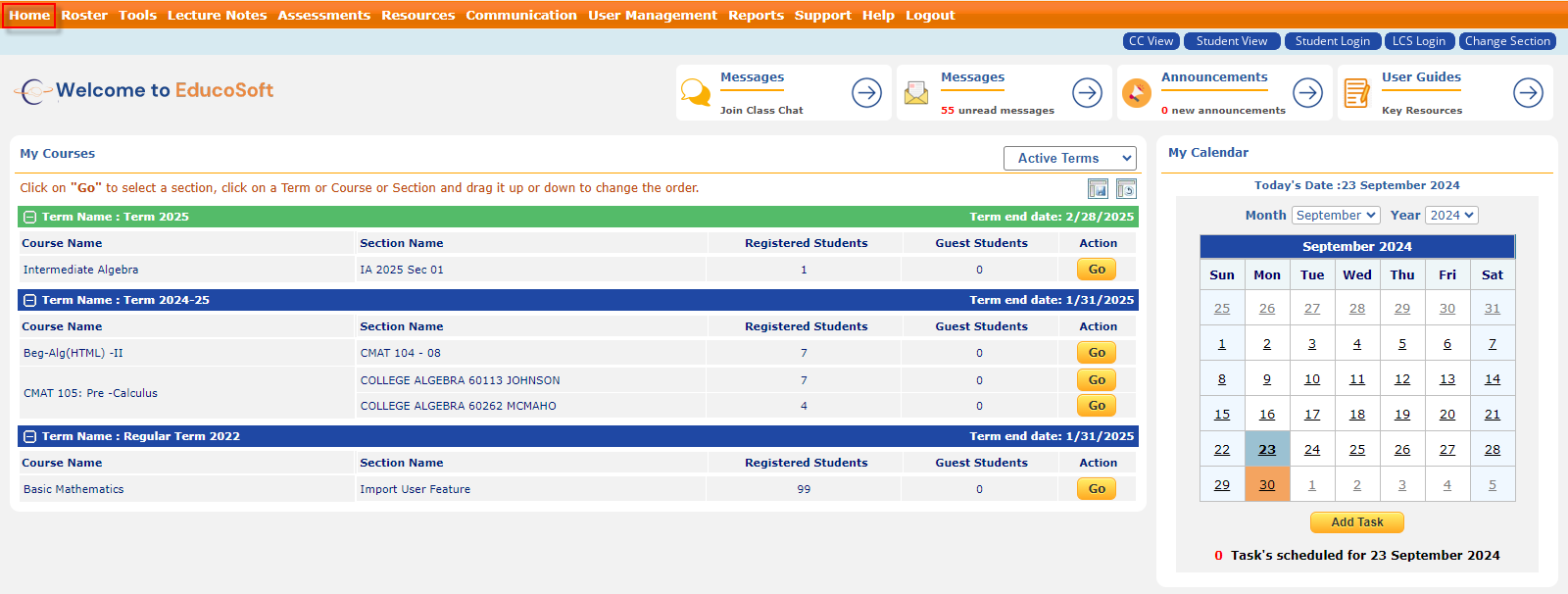
- My Courses Section:
- Displays courses assigned to the instructor, categorized by Terms.
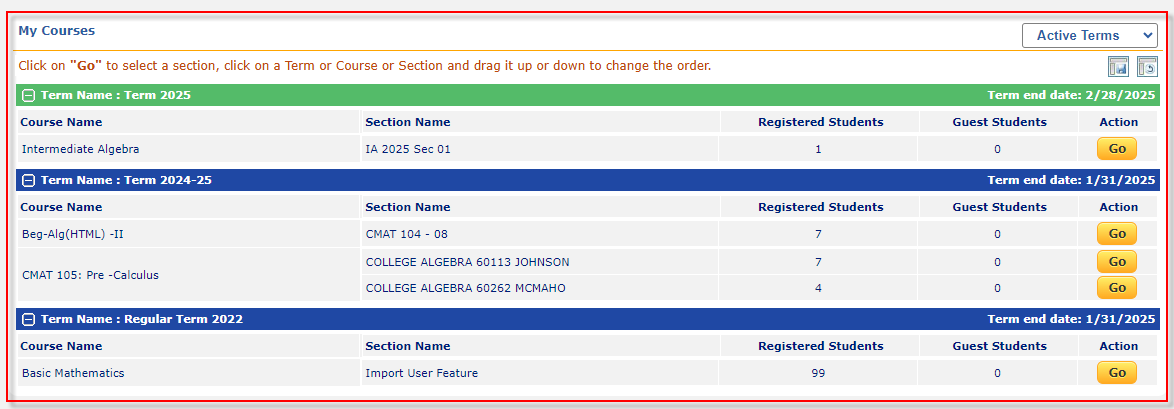
- For each course, the dashboard provides details about section name, number of registered students, guest students, and an "Action" column with a "Go" button to access course details.
- Active/Expired Term Filter: In the "My Courses" section, there is an Active Terms dropdown filter, allowing the instructor to switch between active and expired terms for better course management.
- Messages and Announcements:
- Messages: The dashboard indicates unread messages, with an option to Join Class Chat.

- Announcements: Displays the number of new announcements (currently none), with the option to manage them.
- User Guides:
- A dedicated section providing key resources for user guidance.
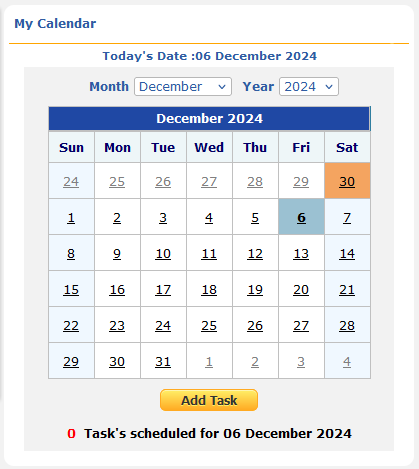
- Calendar:
- A calendar on the right side shows the current date and any scheduled tasks for the day.
- The instructor can add new tasks directly using the "Add Task" button.
This dashboard provides an intuitive interface for managing courses, students, and administrative tasks, with features like the Active/Expired Term Filter offering flexibility in viewing course terms.