
Manging Documents Overview
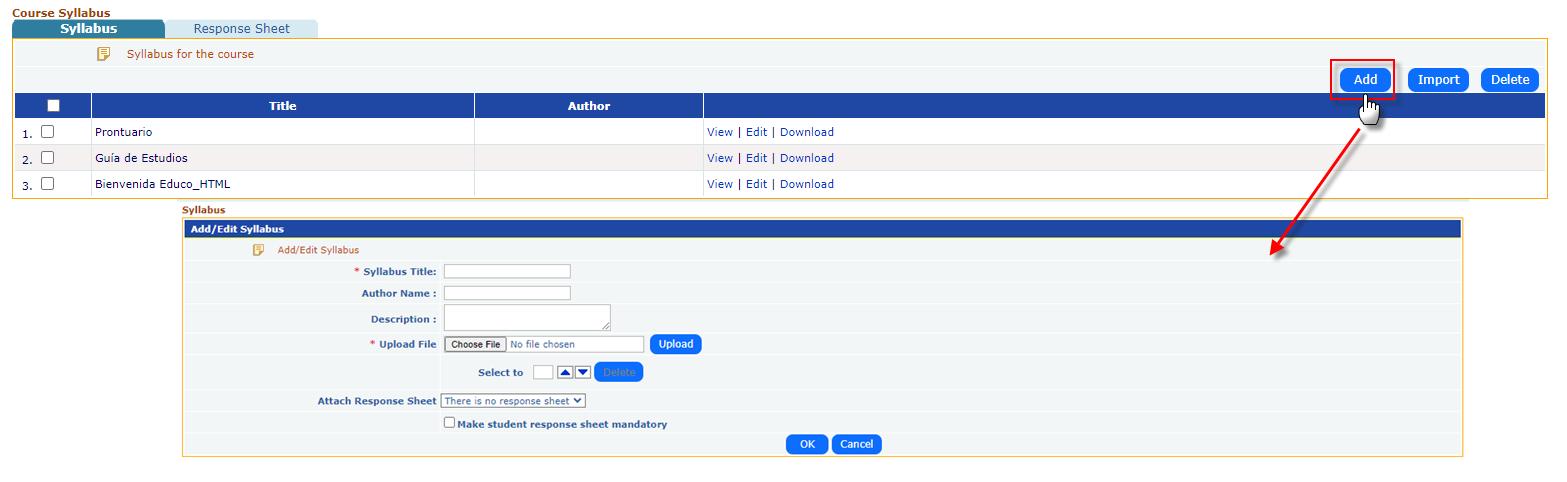
- Add Button: Instructors can upload new syllabus-related documents directly into the system using the "Add" button. This allows them to include course outlines, guidelines, and other important materials.
- Document Types: The syllabus section can accommodate a variety of document types, such as course plans, study guides, and welcome notes.
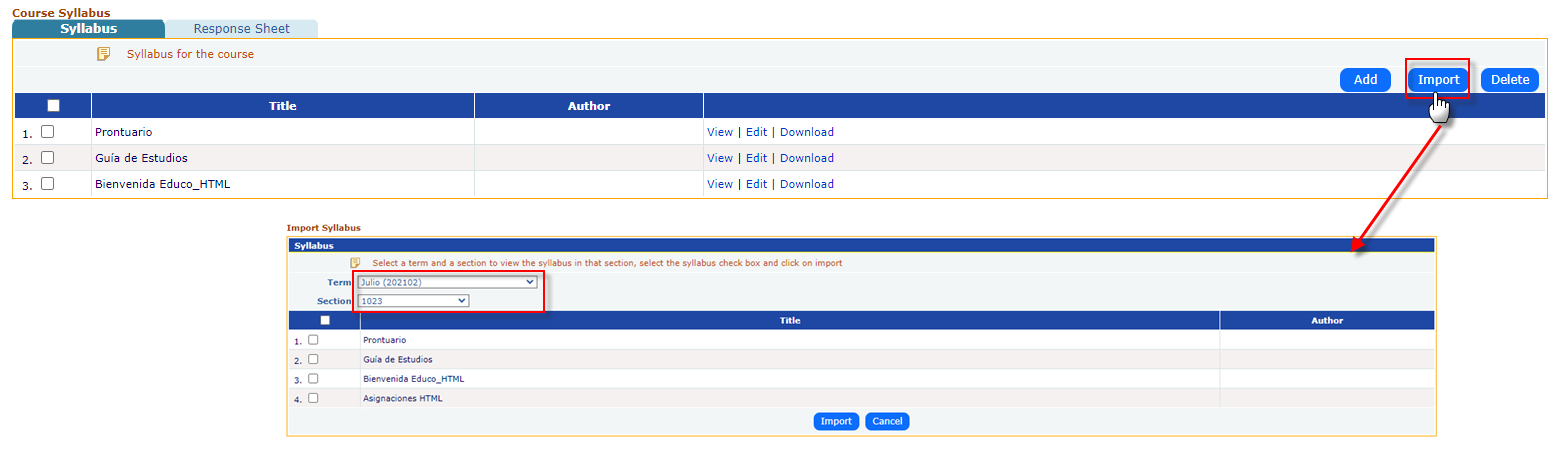
Importing Existing Content:
- Import Button: Instructors can import syllabus documents from other courses or external sources. This is useful for standardizing course materials across multiple sections or reusing documents from previous terms.
Editing Documents:
- Edit Functionality: Instructors can make updates or corrections to uploaded documents using the "Edit" option. This ensures that syllabus content remains current, even after initial upload.
Viewing and Downloading Documents:
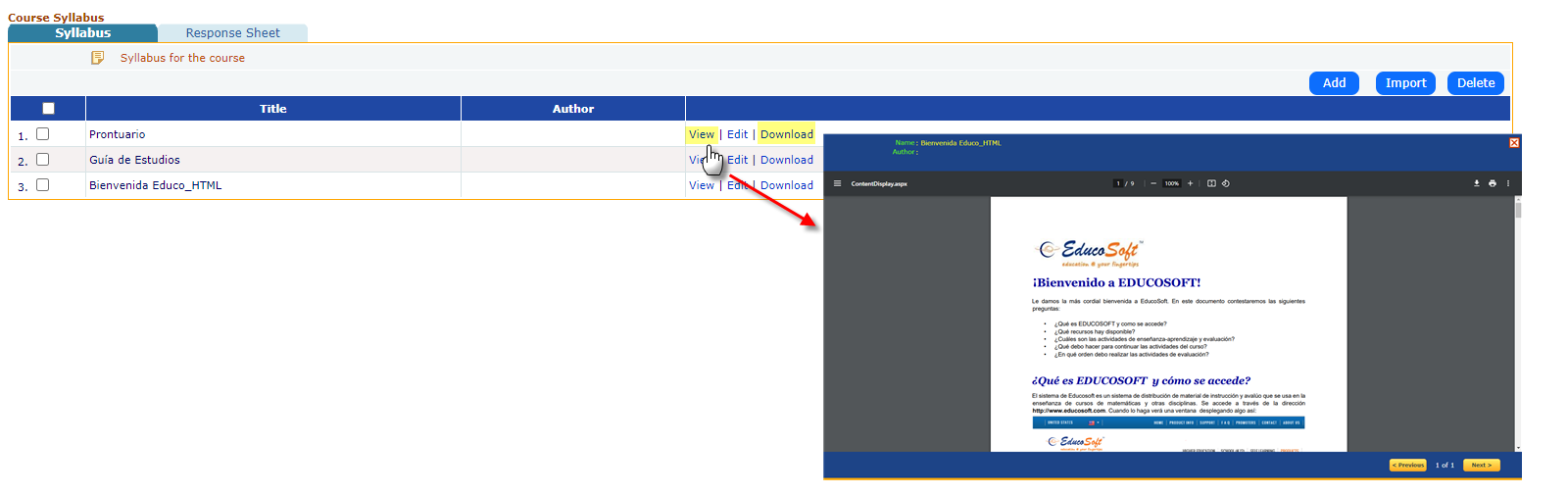
- View: Both instructors and students can view syllabus documents directly within the EducoSoft system, making it easy to access materials without the need for separate downloads.
- Download: The option to download the documents allows students to store course materials locally for offline access. This flexibility is especially useful for students who may want to print or reference documents without logging into the system each time.
Managing Multiple Documents:
- Instructors can upload multiple syllabus files to organize different parts of the course, such as the syllabus proper, study guides, and supplemental materials. These files can be accessed in one convenient location.
- The use of checkboxes allows instructors to perform bulk actions like deleting multiple files at once, making it easier to manage large sets of documents.