
Teaching Assistant (TA) Overview
A Teaching Assistant (TA) working with EducoSoft plays a crucial role in supporting both students and instructors. Here are some key responsibilities and roles a TA will have in EducoSoft.
Adding TA thru Instructor login:
- Go to User Management > Teaching Assistants.

- User will be taken to the following screen.
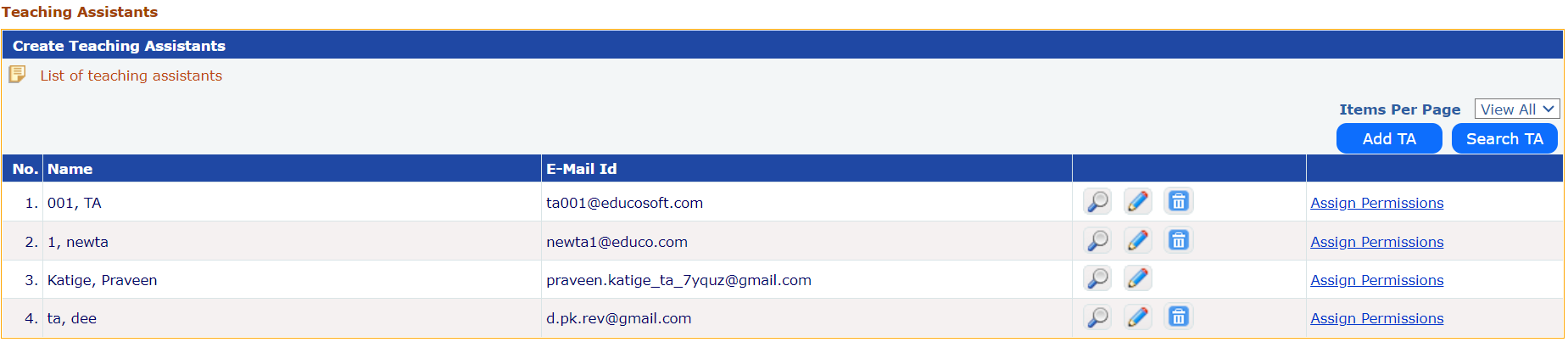
- Click on 'Add TA' button to add a TA.
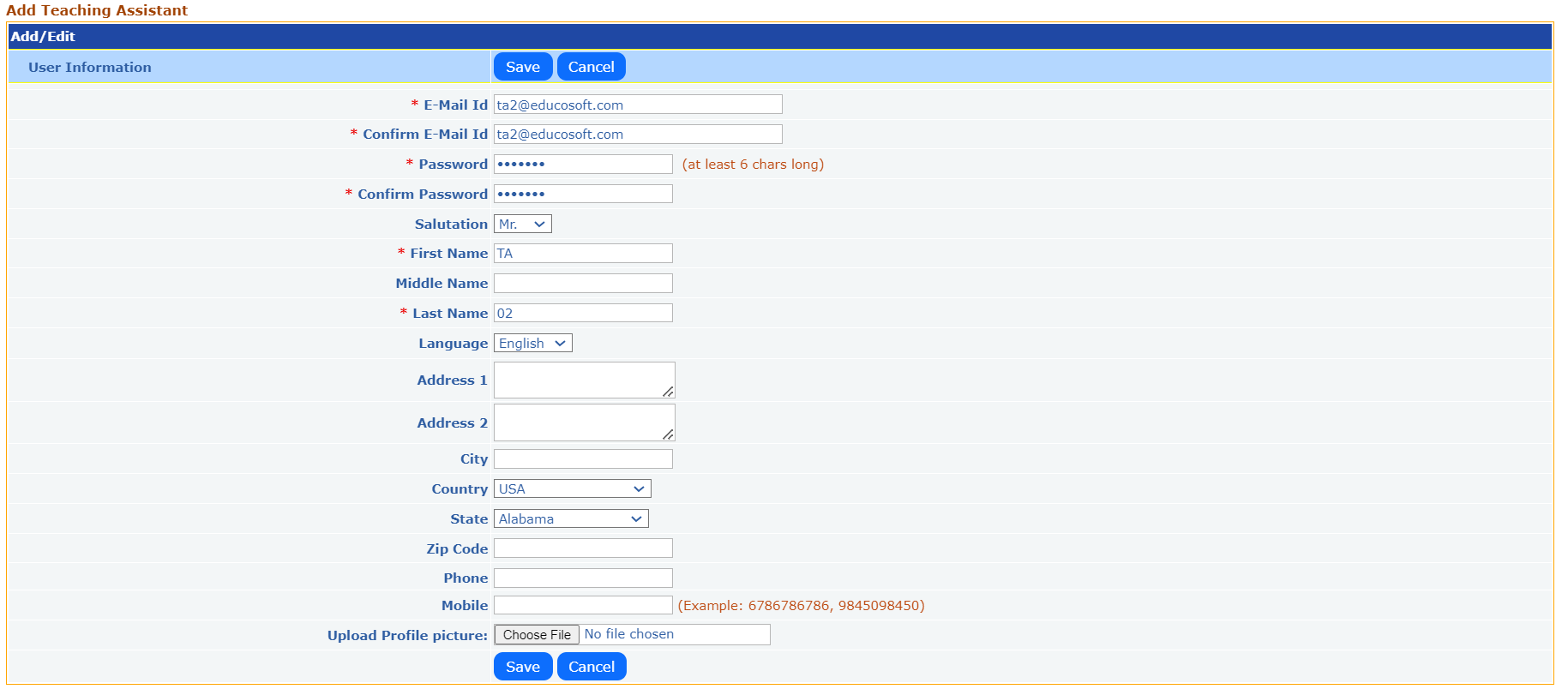
- Enter all the required fields and click on ‘Save’ button. User will be taken to the section selection screen.
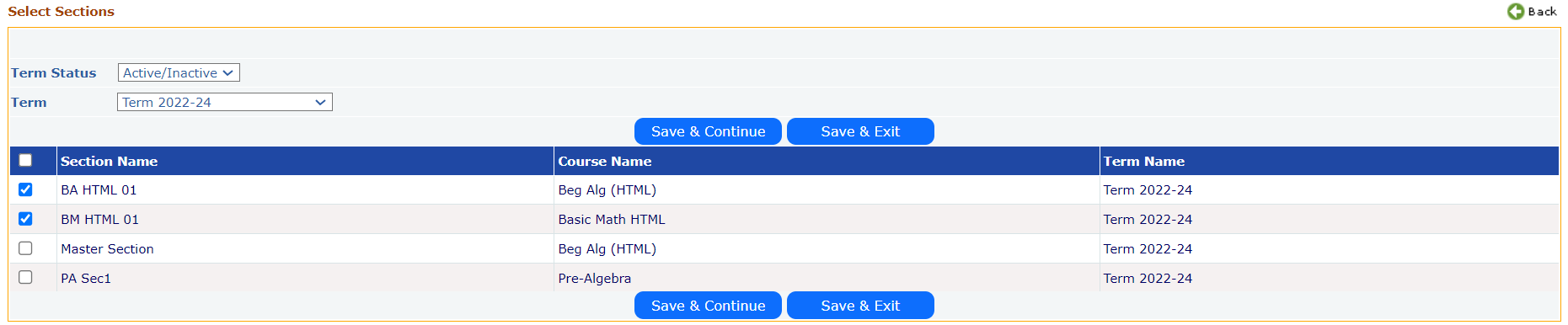
- Select the Term and then select the Section(s), which needs to be tagged to the TA. Once done click on ‘Save and Continue’ button. User will be taken to the following Permissions screen.
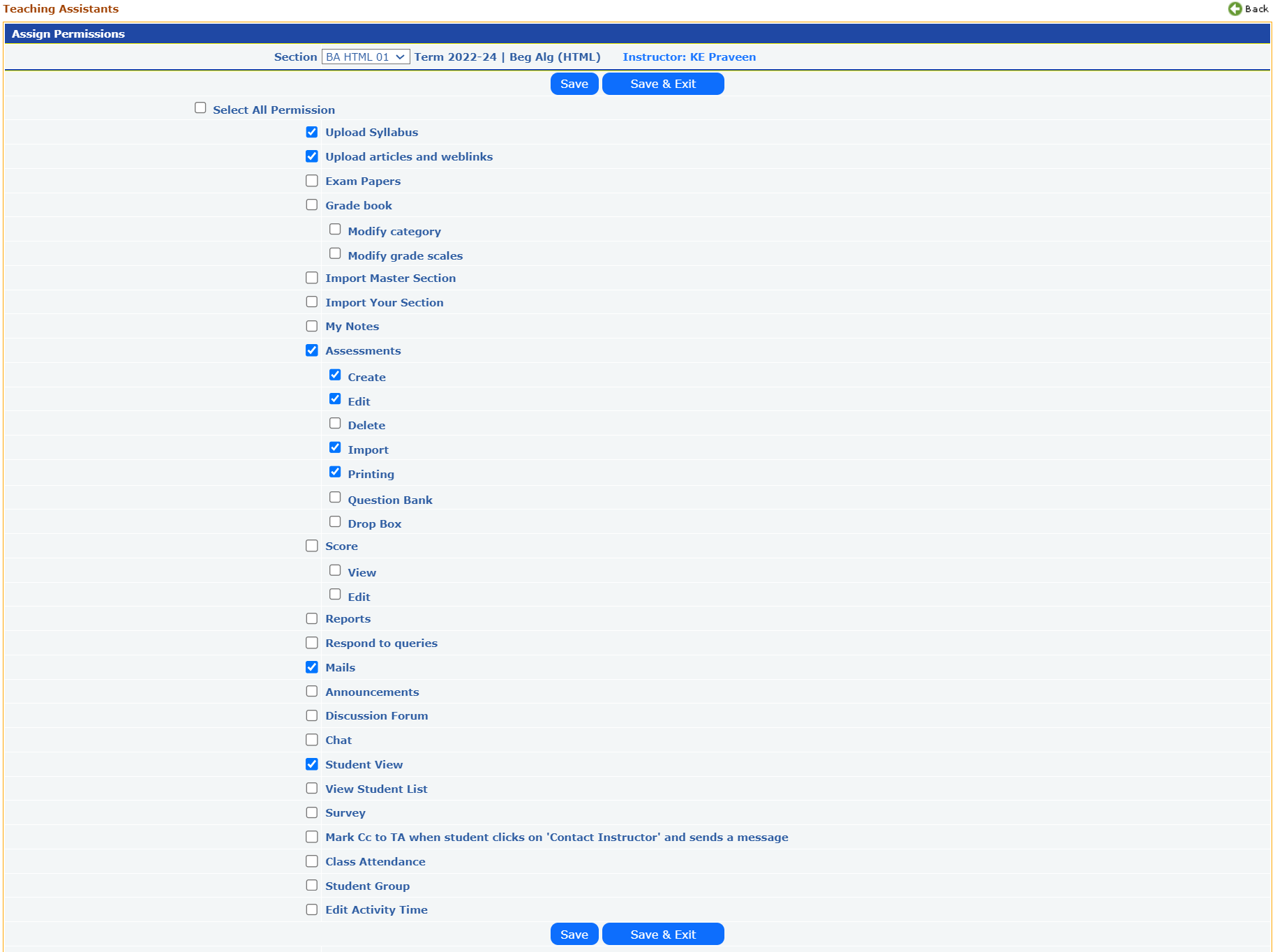
- Assign the permissions, then click on ‘Save and Exit’ button. The system will take you to the TA list screen.
- All created teaching will be listed as below, click on Assign permissions link corresponding to the TA to add/remove permissions to the attached section.
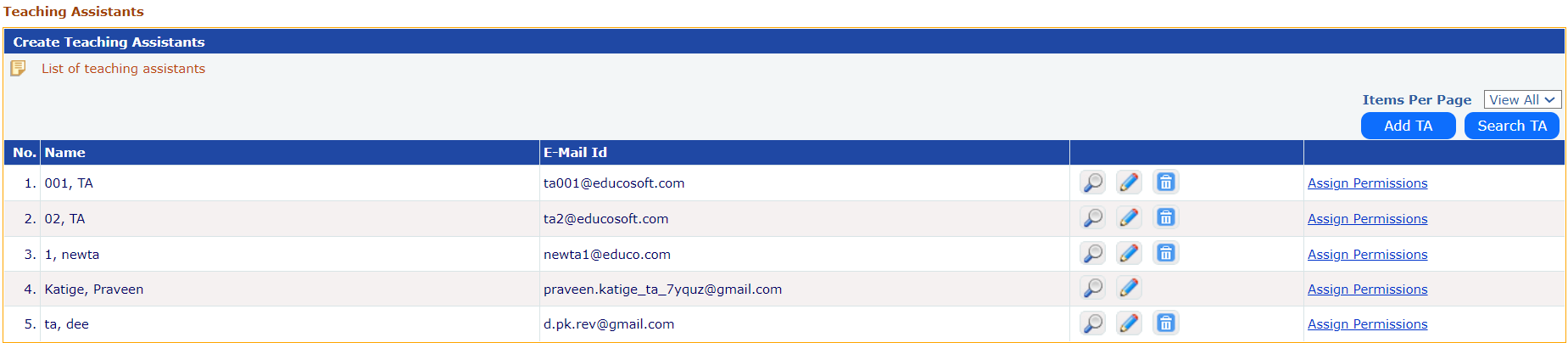
- Click on the view icon next to the TA to view their profile details.
- Click on the edit icon next to the TA to modify their profile.
- Click on the delete icon next to the TA to remove their profile.
Search Teaching Assistant from your institution and assign them to sections(s) you are teaching
- Click on the 'Search TA' button on the institution list screen. User will be taken to the following screen.
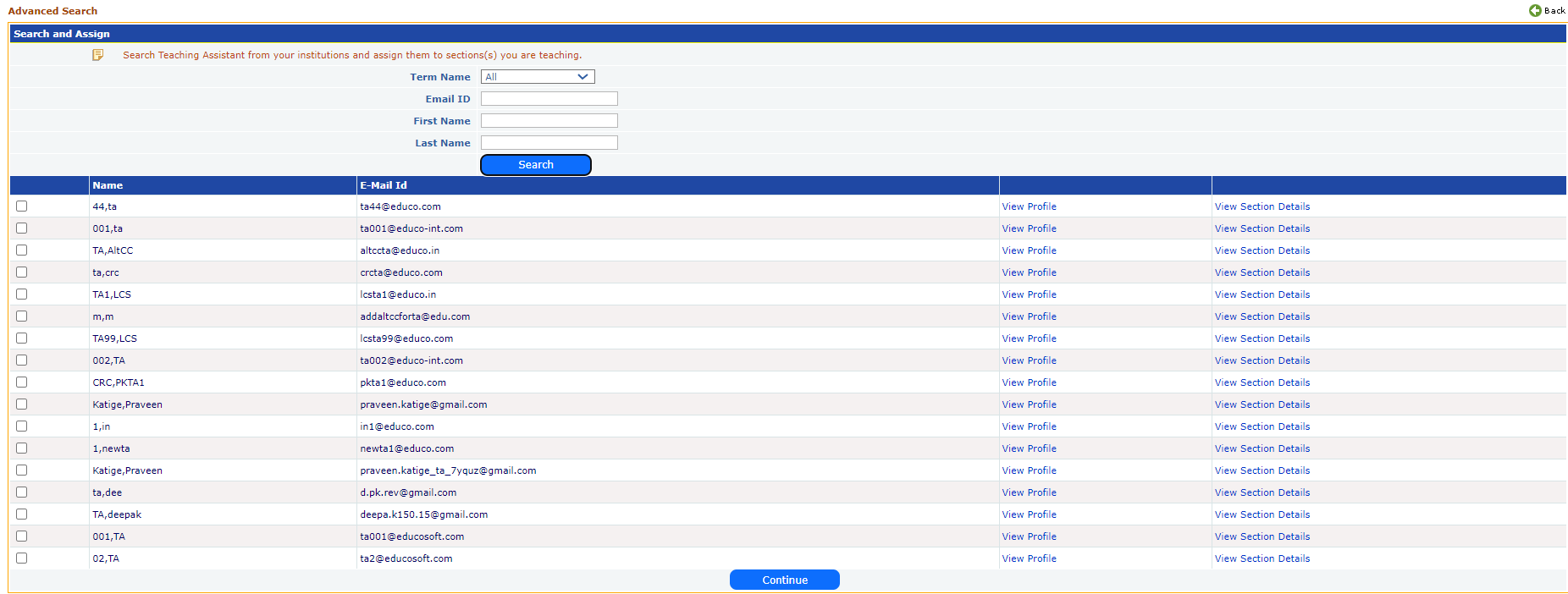
- Select a Term or 'All Terms' then click on the Search button.
- All TAs from your institution are listed.
- Click on the ‘View Profile’ link next to the TA to view their profile details.
- Click on the 'View Section Details' link next to the TA to see the sections already assigned to them.
- Select the TAs you want to assign to the sections you are teaching, then click the 'Continue' button to proceed with the sections assigning process.
How can a TA help the instructor?
- Student Support:
- Technical Assistance: TAs can help students navigate the EducoSoft platform, troubleshoot technical issues, and provide guidance on using various tools and features.
- Accessibility: They can assist in ensuring that the platform is accessible to students with disabilities, following best practices for universal design.
- Assessment and Grading:
- Grading: TAs often assist in grading assignments, quizzes, and tests within EducoSoft, ensuring accuracy and consistency.
- Feedback: They can provide detailed feedback on student performance, helping students understand their mistakes and improve their skills.
- Practice and Reinforcement:
- Problem-Solving: TAs can guide students in using EducoSoft's practice problems and eTextbooks to reinforce their understanding of mathematical concepts.
- Hints and Solutions: They can help students make effective use of hints and solutions provided within EducoSoft to enhance their learning.
- Monitoring Progress:
- Performance Tracking: TAs can monitor student progress through the platform, identifying areas where students may be struggling and providing targeted support.
- Reporting: They may generate reports on student performance to help instructors and students track progress and identify areas for improvement.
- Facilitating Communication:
- Communication: TAs can facilitate communication between students and the instructor, addressing student queries and concerns related to EducoSoft and mathematical concepts.
- Discussion Forums: They can moderate discussion forums or chat rooms within EducoSoft, encouraging peer interaction and collaborative learning.
- Content Management:
- Resource Uploading: TAs may assist in uploading additional resources, such as practice problems or tutorials, to supplement the existing EducoSoft content.
- Updating Materials: They can help keep course materials up-to-date and relevant, ensuring that students have access to the most current information.
- Professional Development:
- Training: TAs may receive training on EducoSoft and other educational technologies, which can enhance their skills and contribute to their professional development.
- Best Practices: They can stay updated on best practices for teaching mathematics online and share these insights with students and instructors.