
Tutorial Date Marking Overview
"Tutorial Date Marking" is a tool that allows instructor to set start and end dates for topics and mark them as important for students' study. Here's how it works:
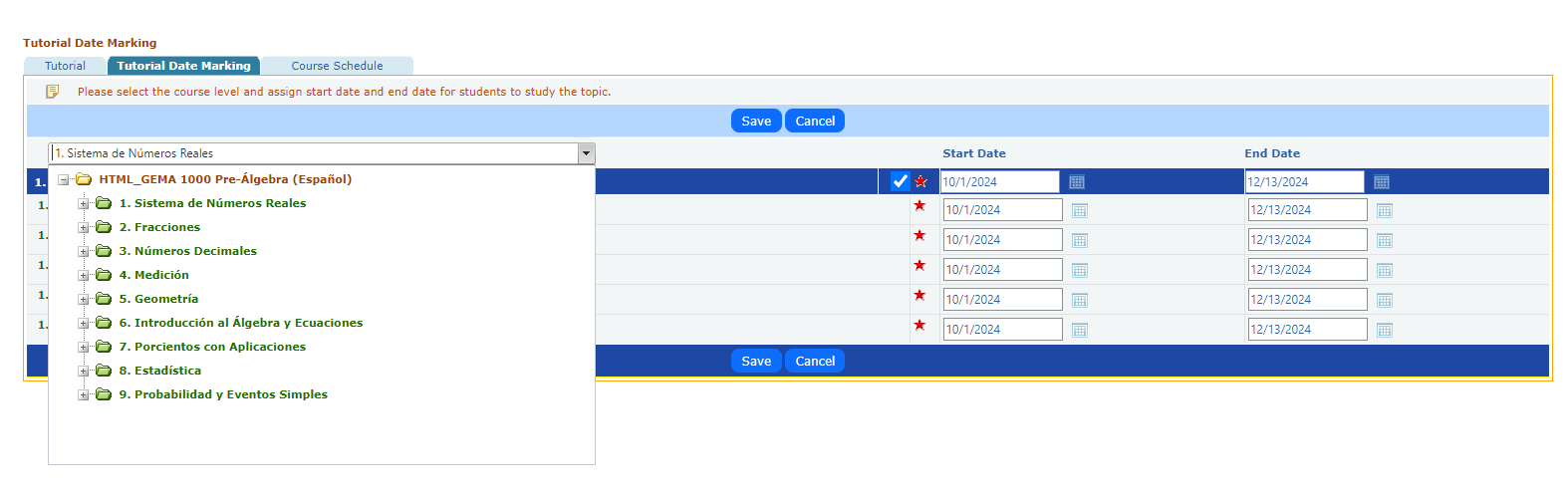
- Marking Topics as Important:
- The red star icon is used to mark specific topics as important. This indicates to students which topics they should prioritize in their studies.
- Setting Study Dates:
- The interface provides columns for "Start Date" and "End Date," allowing the instructor to define the period during which each topic should be studied.
- A calendar icon next to each date field enables easy selection of the desired date range.
- Selection and Saving:
- Checkboxes allow the instructor to select multiple topics for marking.
- After setting the dates and marking topics, the "Save" button applies the changes, while the "Cancel" button discards them.
This feature ensures that students are aware of the important topics and the specific timeframe they have to complete their studies, helping them to stay organized and focused.