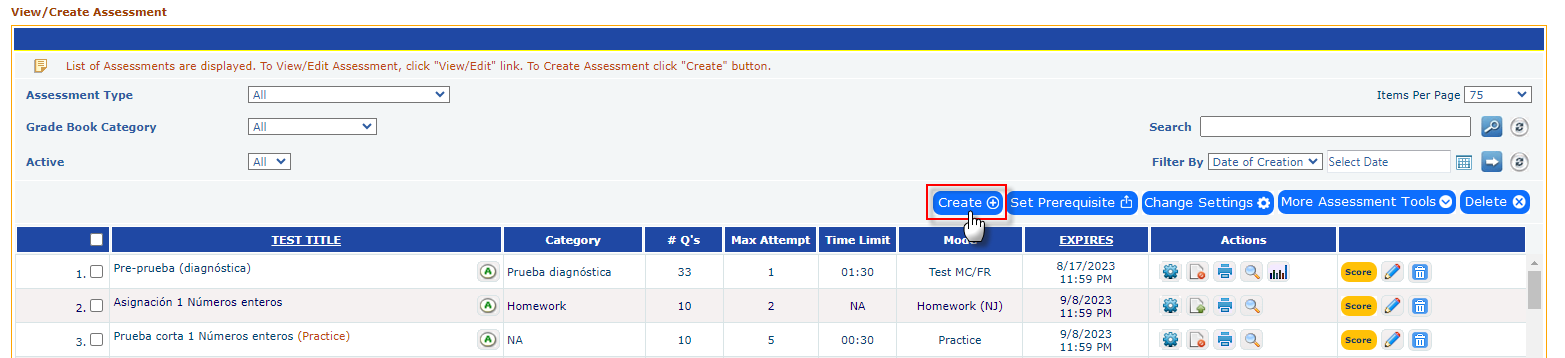
Click on the Create button to add a new assessment.
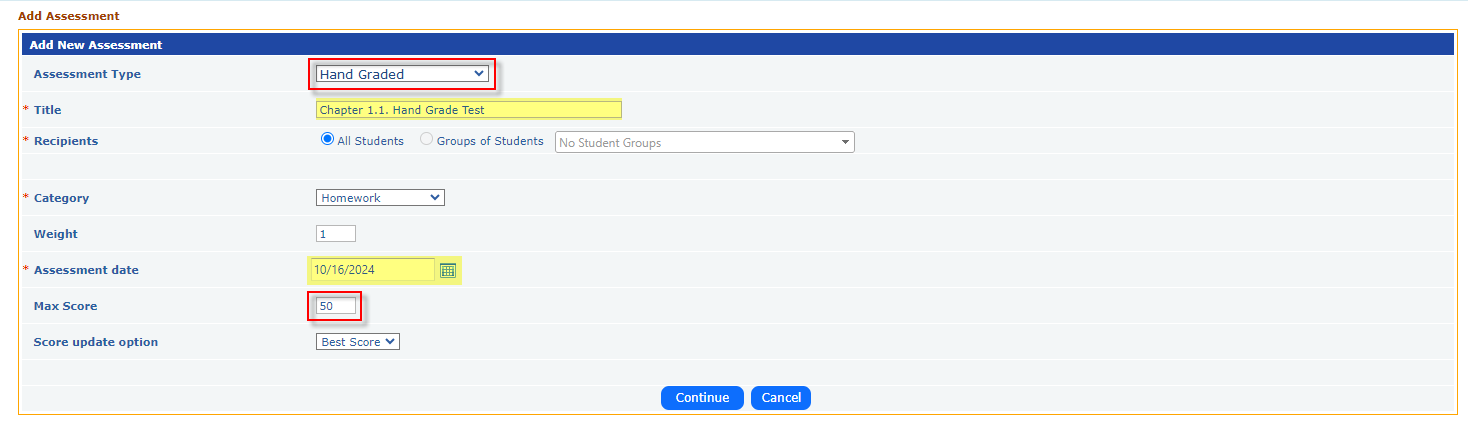
Select Assessment Type: Choose Hand Graded from the options.
Input Assessment Details:
Enter the Title, select Recipients, choose a Category, and set the Assessment Date.
Specify the Max Score for the assessment, then click the Continue button.
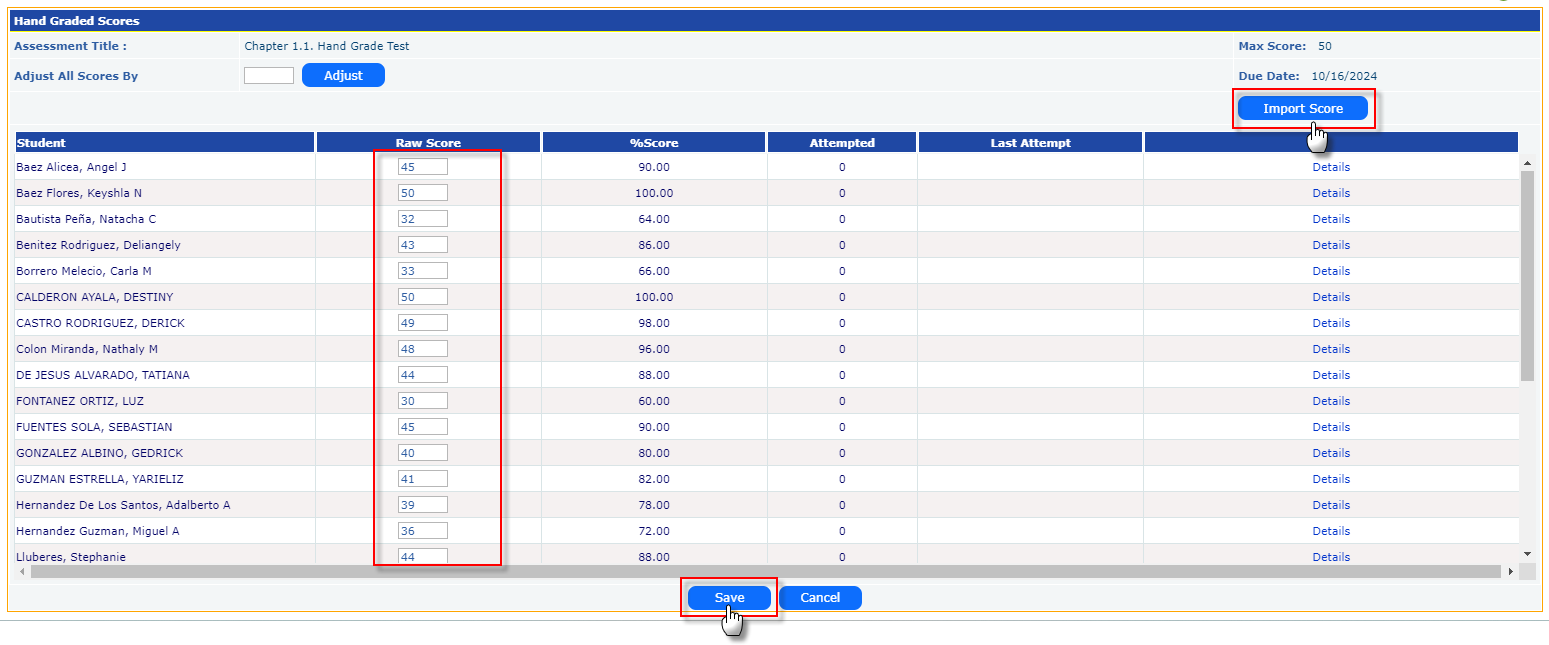
Enter Scores for the Hand-Graded Test:
Upon Continue, a new page will appear where you can input scores for each student.
If you have the scores ready, enter the raw score for each student based on the max marks defined earlier, and click the Save button after entering all scores.
If you prefer to enter the scores later, simply click the Save button after creating the assessment title without entering any scores. This will add the hand-graded assessment title to your assessment list. Whenever you're ready to enter scores, click the Score button, input the scores as described above, and save.
Use the import option import all student score in thru excel file.