
How to Drop the lowest scores at the end of term
Click on Tools > Gradebook to open online Gradebook.
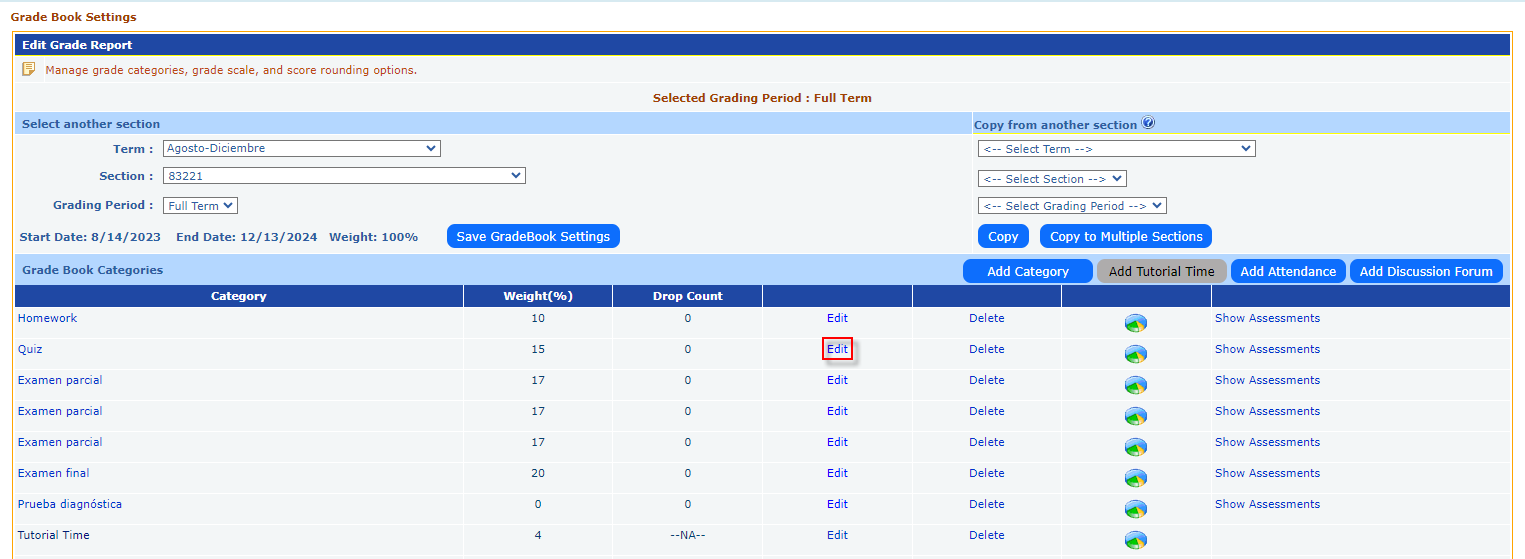
Click on Edit link for the Grade book category for which you want to drop the lowest scores.
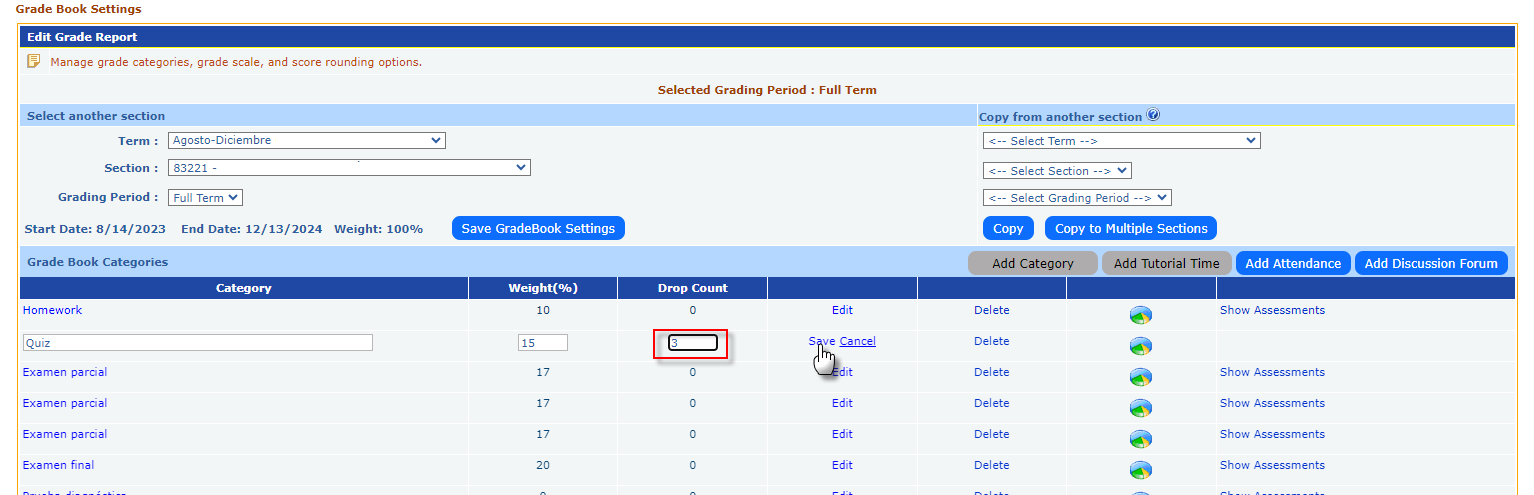
Enter the Drop Count Number and click on Save.
- System will automatically pick the lowest scores and drop from count in grade calculation of all students in the class.
- Number of score drops can be re-edited to reduce or increase the number of drops any time before the term expires