
Student Registration Overview
This feature enables instructors to register students directly for courses. Instructors enter student details, select courses, and manage enrollment status, streamlining the registration process.
Adding Student Account:
- Go to User Management > Student Registration.

- The user will be taken to the following screen.
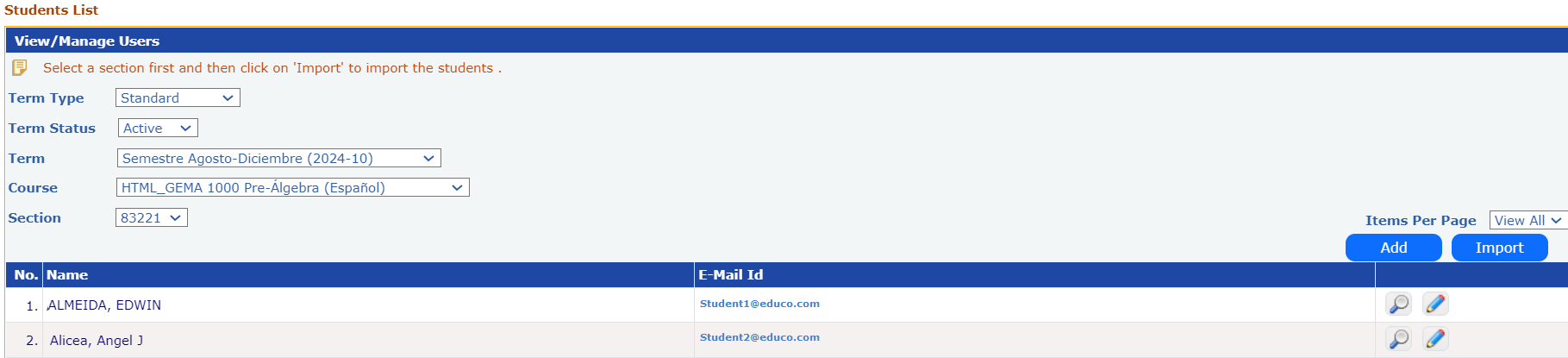
- Select the Term, Course, and Section to which the student needs to be added and click on the ‘Add’ button.
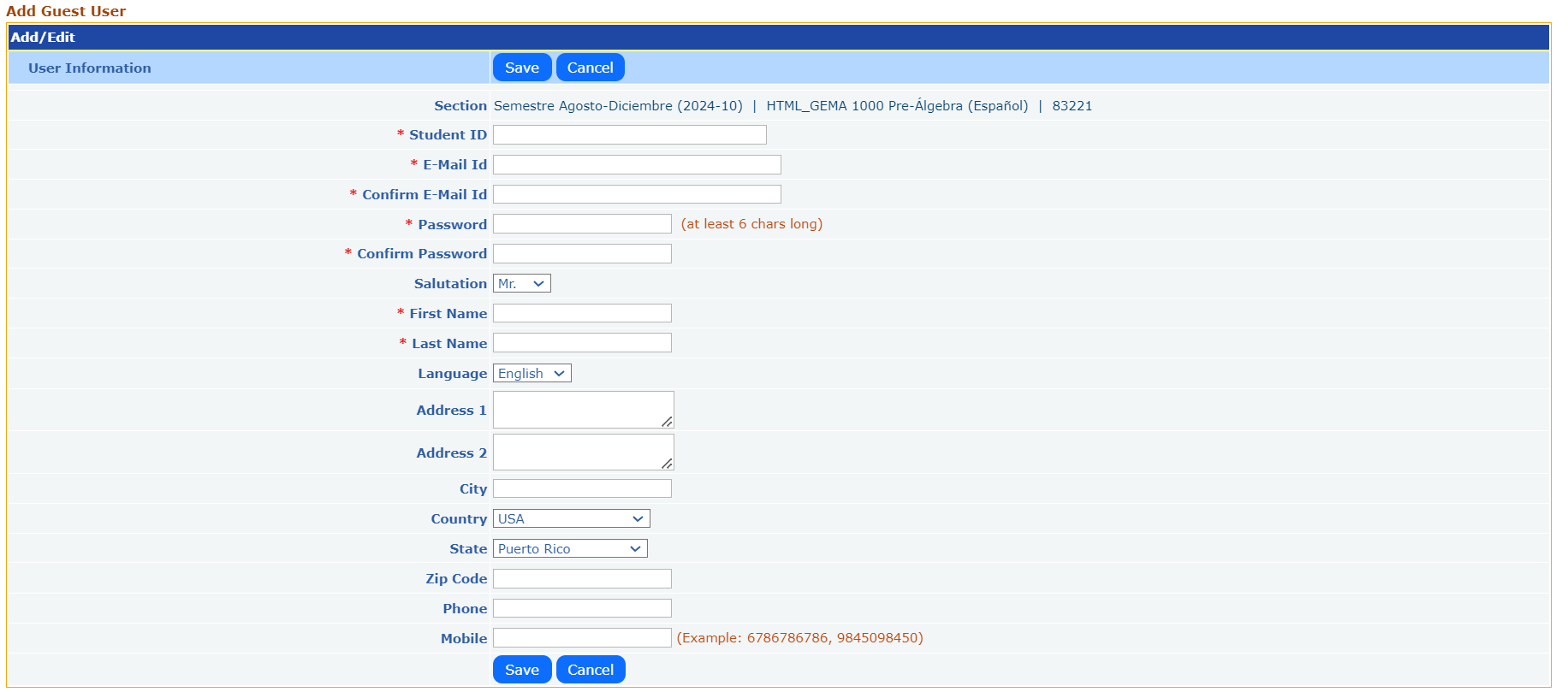
- Fill in all the required fields in the form and click on ‘Save’ button to register the student.
Import Students:
- To add multiple students at a time, select the term, course and section and click on ‘Import’ button. User will be taken to the following screen.

- Click on ‘View Format’ link to download the excel file to your PC.
- Enter student information and save the file on your PC.
- Click on ‘Browse / Choose File’ to select the file and then click on ‘Import’ button.
- For uploading the file click on Choose File link button and select the saved excel sheet file and click on ‘Import’ button.
- The users in the excel sheet are listed with the details entered.
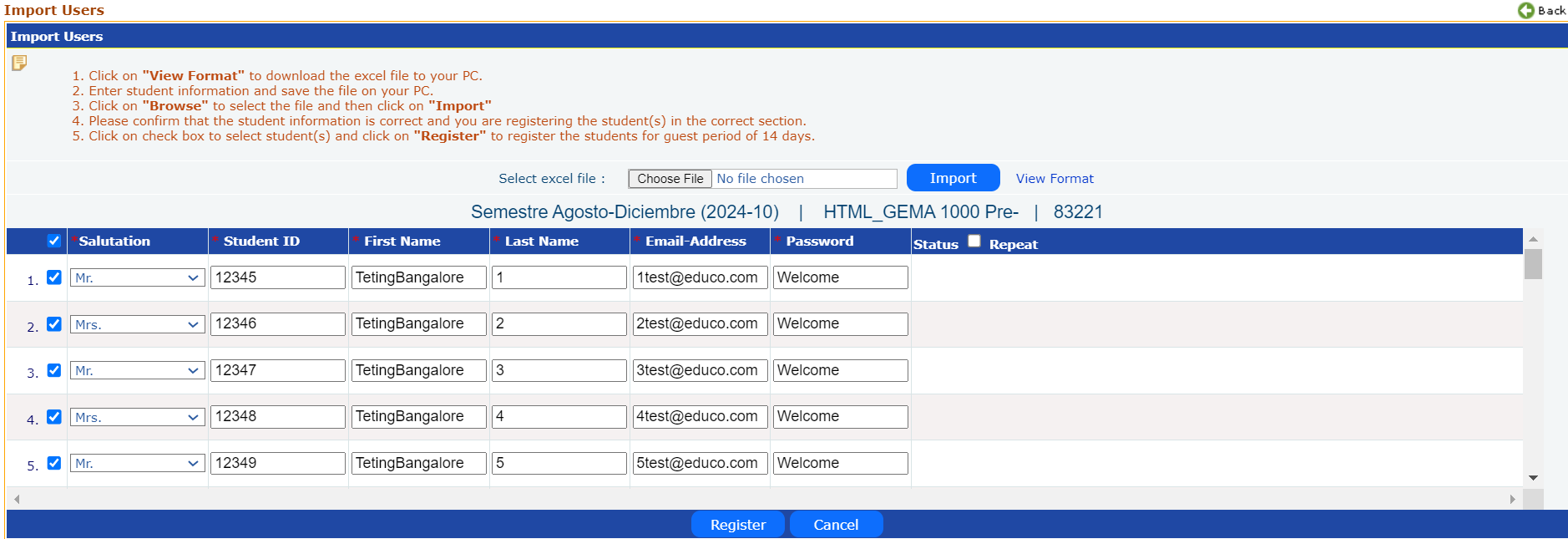
- Please confirm that the student information is correct and you are registering the student(s) in the correct section.
- Select the check box corresponding to the students (Check the one on the header to select all students) and then click the ‘Register’ button to register the students.
- All the selected students will be registered, and the status column will give the User Registered status for each student.
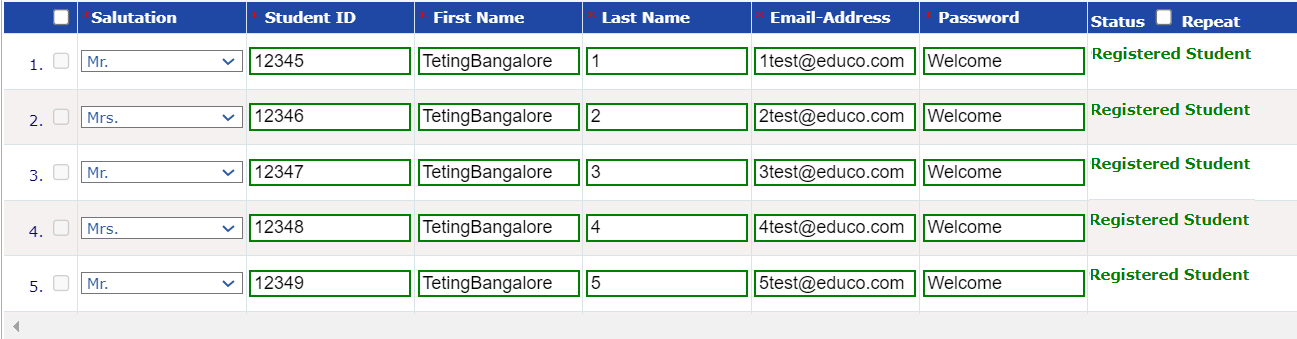
- If any data is missing or incorrect format in the file, the field is highlighted in Red, the status gives the description, and the check box will be disabled for the row until it is corrected.
- If the Student ID or email address is already registered in the system, the field will be highlighted in Blue, the status shows the appropriate message and the check box is disabled for that student. The respective field can be modified in the text box here and can be selected again for registration if required.
Note: If Student Registration is blocked for the institution, the Student Registration menu will not appear on the instructor's side.